Sapiens AI Assistant
An AI that already knows your practice.
Unlike generic AI tools, Sapiens AI is pre-loaded with your full profile — services, portfolio, reviews, and credentials. No context-setting. No re-explaining yourself. Just ask.
Get started free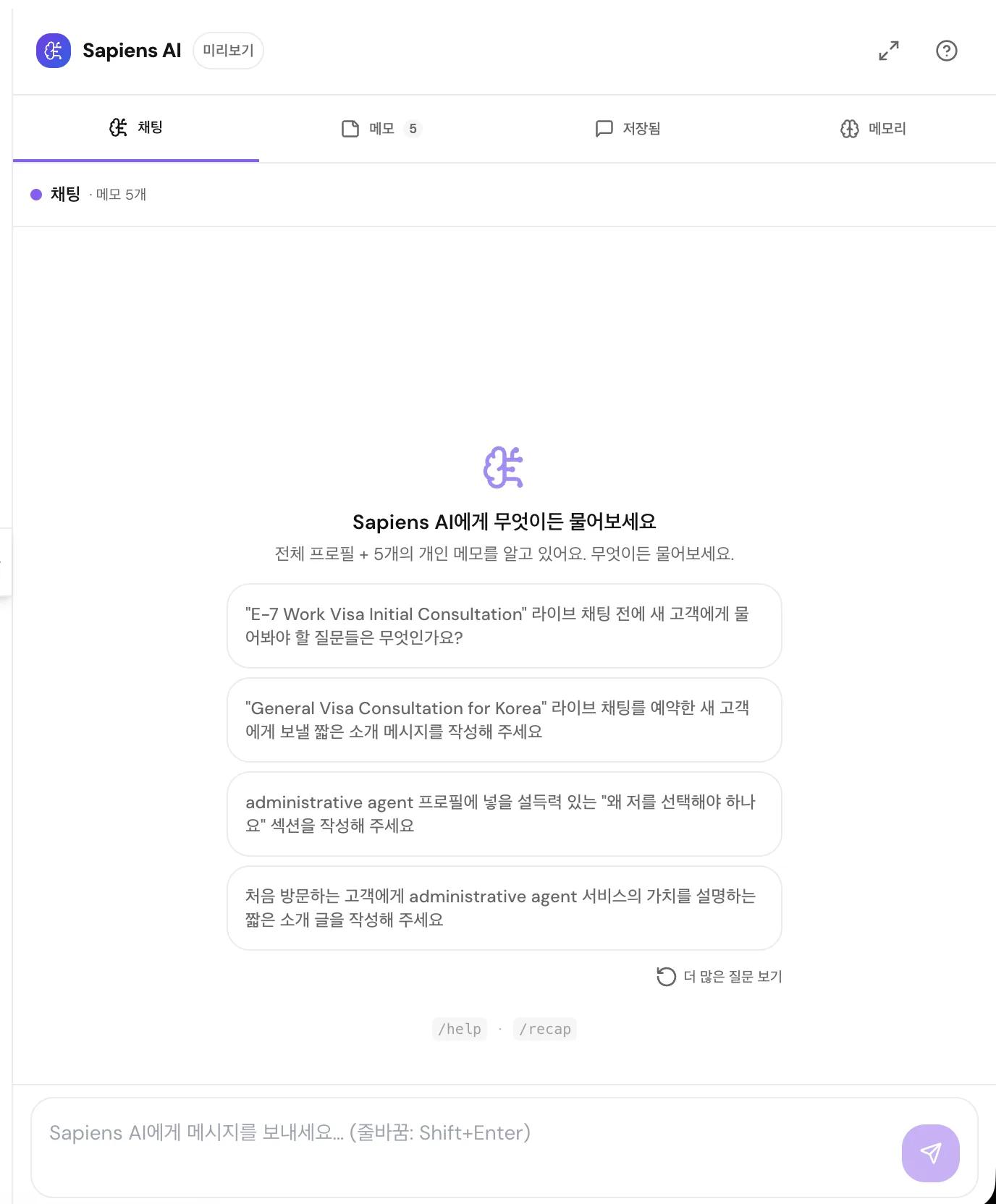
Automatically loaded
Chat panel
Talk to the AI like a colleague who knows your work. Ask it to draft client emails, prep for a session, or think through a proposal.
- Personalized quick-start suggestions when chat is empty
- Save important conversations — reload and continue anytime
- Full screen mode for focused, distraction-free work
Notes — private context
Feed the AI everything it needs to give you sharper answers: pricing tiers, internal FAQs, client objection scripts, case study summaries.
- Organize notes into folders by topic
- Drag notes between folders
- The AI reads your notes in every conversation
AI Memory
As you chat, Sapiens AI builds a running summary of your working style, preferences, and key facts. Answers get sharper the more you use it.
- Memory updates automatically after each conversation
- Fully editable — correct or remove anything
The more notes you add, the more specific the AI's answers become.
Clear the chat for new topics — notes and memory always persist.
Frequently asked questions
Is my conversation data private?
How does AI Memory work?
Can I use Sapiens AI to respond to clients?
Related features
Ready to see it in action?
Sign up free and explore every tool inside your expert dashboard.