Booking & Availability
Your calendar. Your rules.
Set your weekly hours, define your services, and let clients request sessions — all managed from one place. No back-and-forth. No scheduling chaos.
Get started free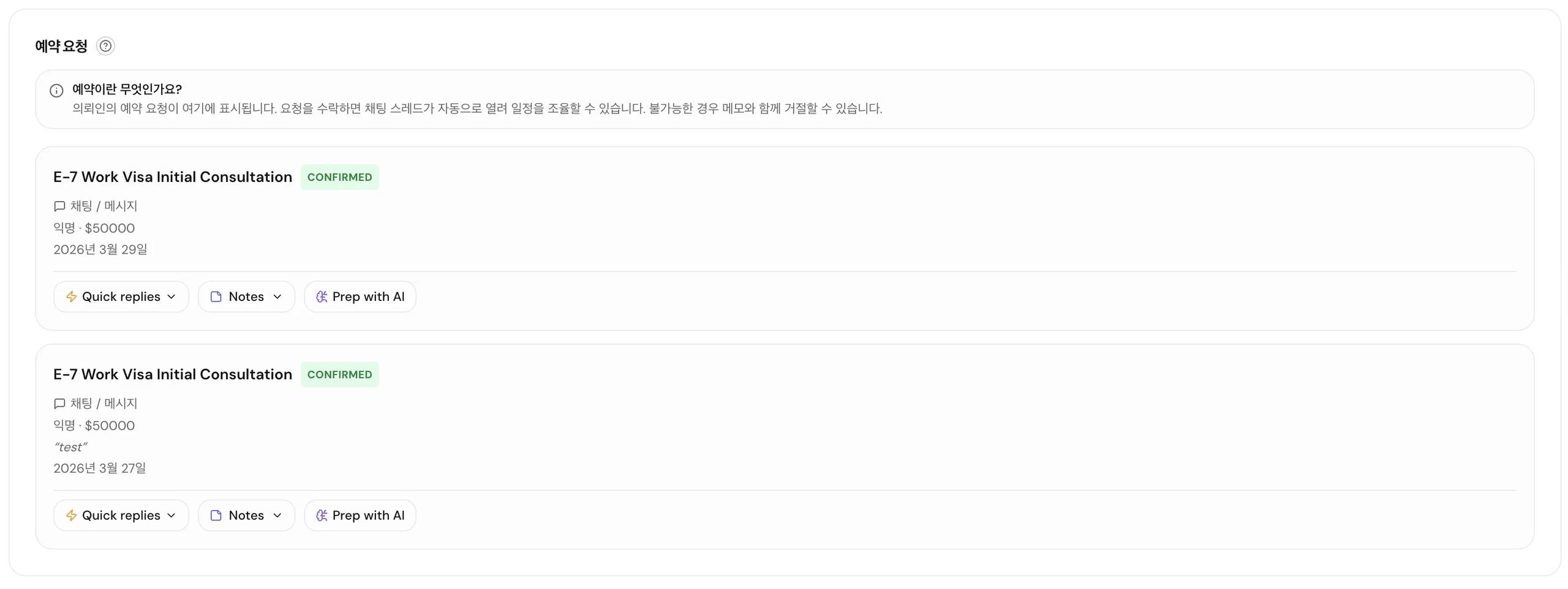
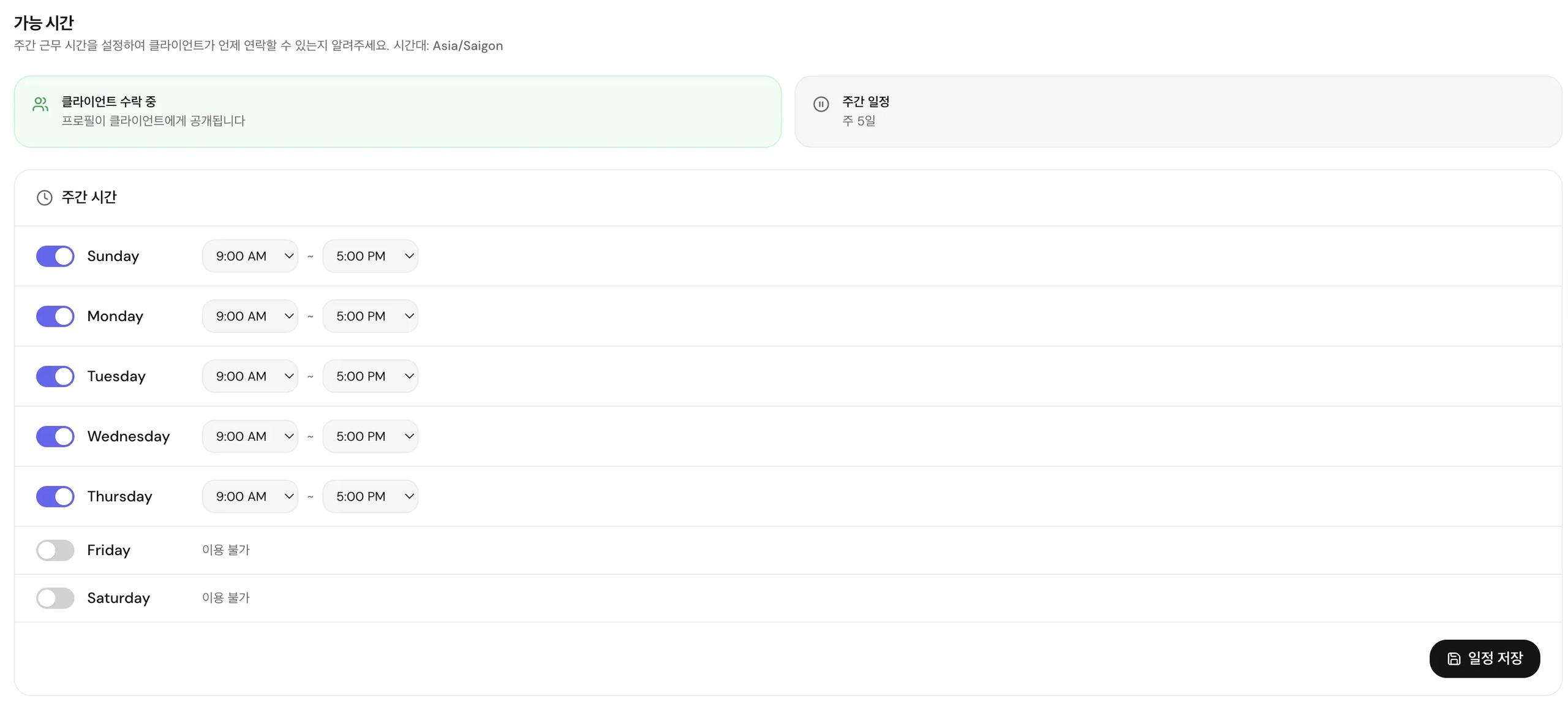
Weekly availability schedule
Set exactly which days and hours you're open. Clients see your live availability before they send a request.
Custom services
Define every session type you offer — title, duration, price, and description. Single sessions or bundled packages.
Booking requests
Clients send requests, you confirm or decline. Every confirmed booking opens a private chat thread automatically.
Break mode
Going on vacation? Set a return date. Your profile hides automatically and reactivates when you're back.
Client inquiries
Clients can post open requests to the platform. Relevant experts get notified and can respond directly.
Session bundles
Offer multi-session packages at a discounted rate to lock in recurring clients.
Frequently asked questions
Can I accept bookings across multiple time zones?
What happens if a client doesn't show up?
Can I set different prices for different services?
Related features
Ready to see it in action?
Sign up free and explore every tool inside your expert dashboard.